Online
Video Downloader
Paste a link from any supported platform and download videos online free in seconds. No signup required.
The Online Video Downloader That Actually Works
Downloading a video should not feel like solving a puzzle. ClipSaves is an online video downloader where you simply paste a link and get your video, with no hidden buttons, no fake download ads and no forced signups. You can download video from URL for YouTube, Instagram, TikTok, Twitter (X), Facebook, Dailymotion, Vimeo, LinkedIn and Telegram, all from one place. Whether you want to download a video from a website to study offline or keep a Reel you love, ClipSaves lets you download videos online free and have them ready in seconds.
Your privacy is not an afterthought here. Videos are fetched on demand through a secure proxy, and we do not keep copies of what you download. You do not need an account to use this online downloader for videos. To run the service we log the links fetched and downloads started, as our Privacy Policy explains, and we never sell that data.
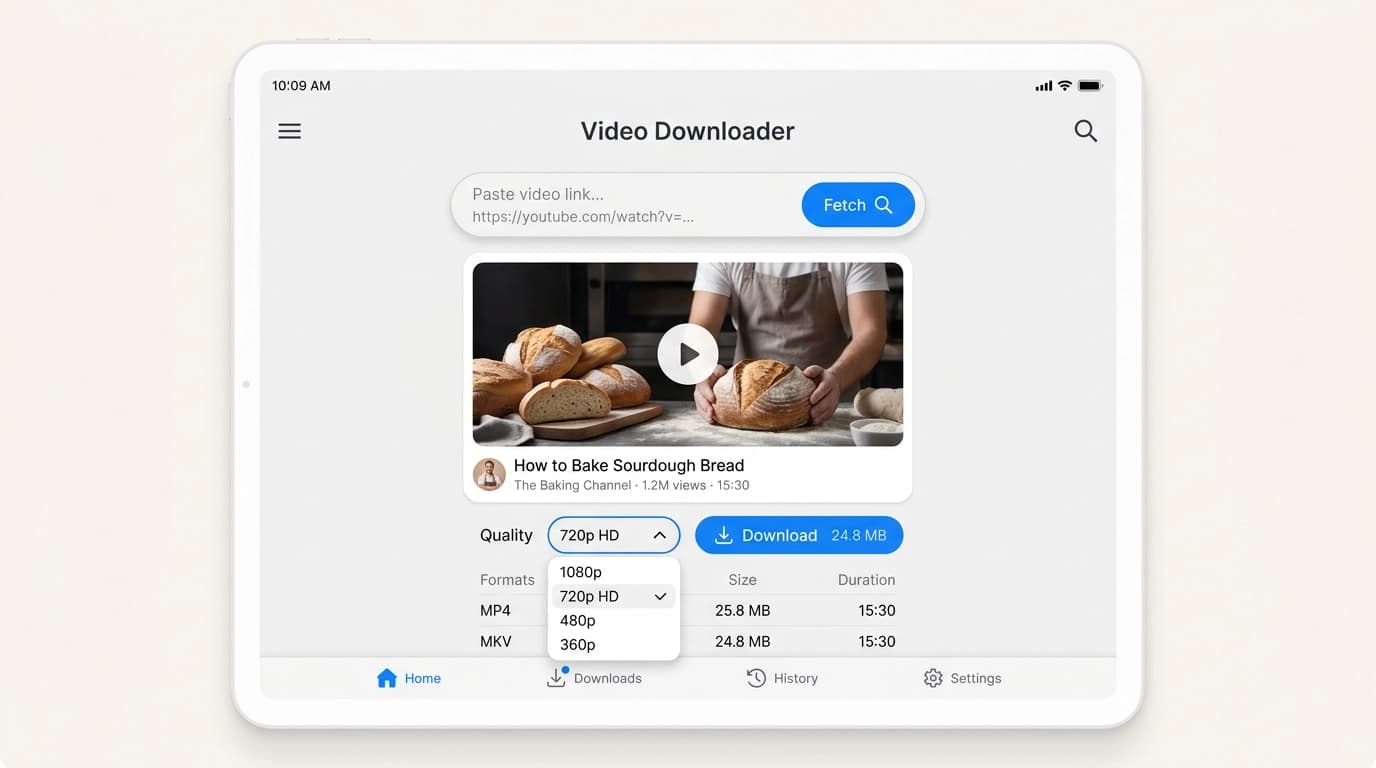
How to Download Videos Online with ClipSaves
Download any video in three simple steps. No software to install and no account needed.
Step 1: Copy the video link
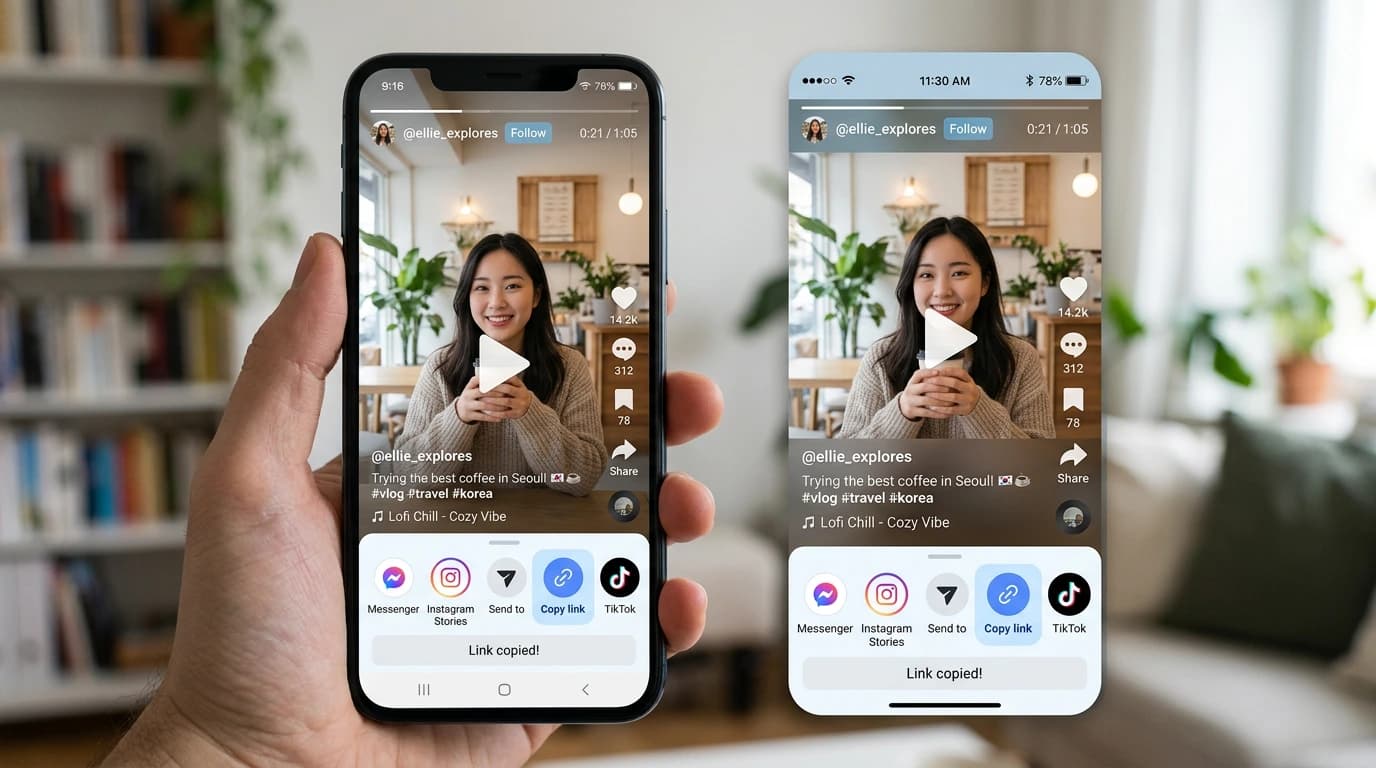
Open the video on YouTube, Instagram, TikTok, Facebook, Twitter (X), Dailymotion, Vimeo, LinkedIn or Telegram. Tap the Share button, then tap Copy link. On a computer, you can also copy the URL from your browser's address bar.
Step 2: Paste the link into ClipSaves
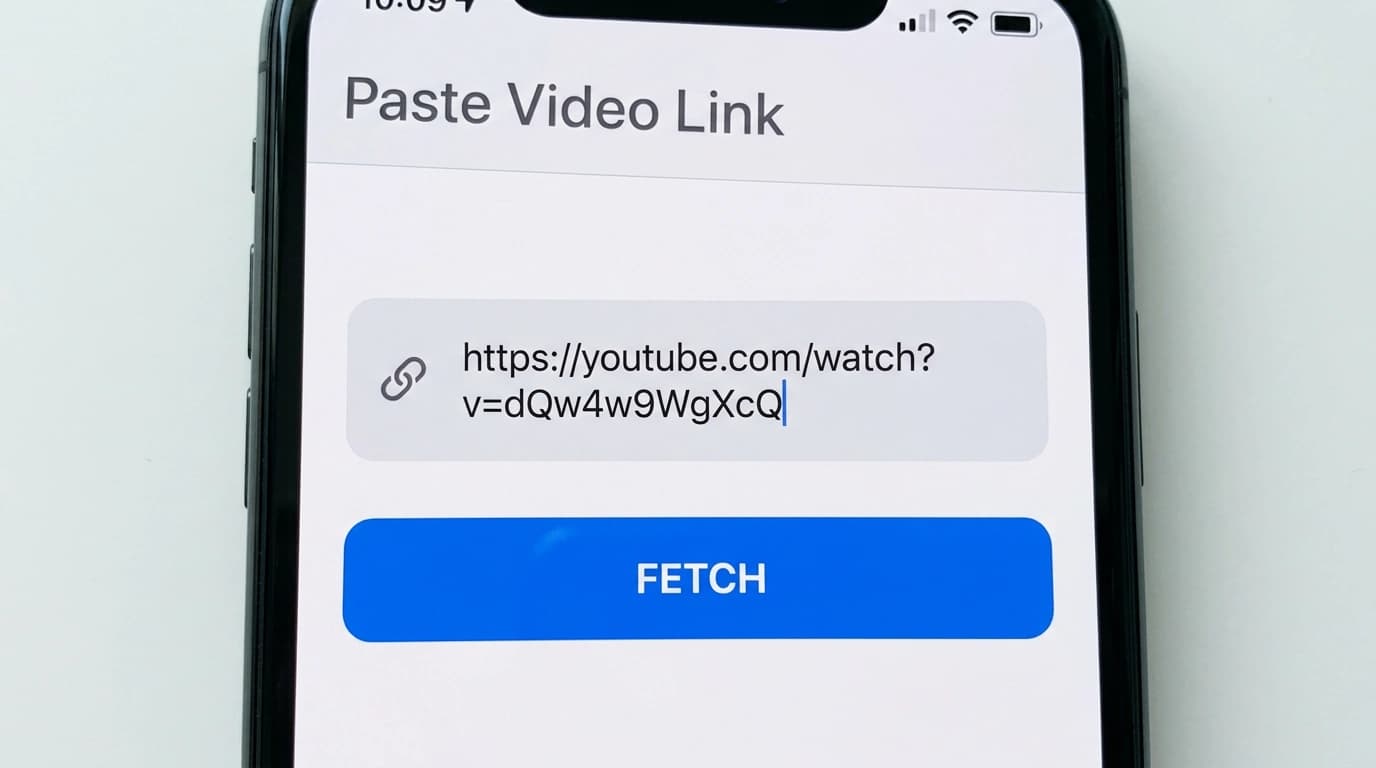
Paste the link into the box at the top of the page and press Fetch. ClipSaves checks the video and shows the MP4 qualities that are available for it.
Step 3: Choose a quality and save
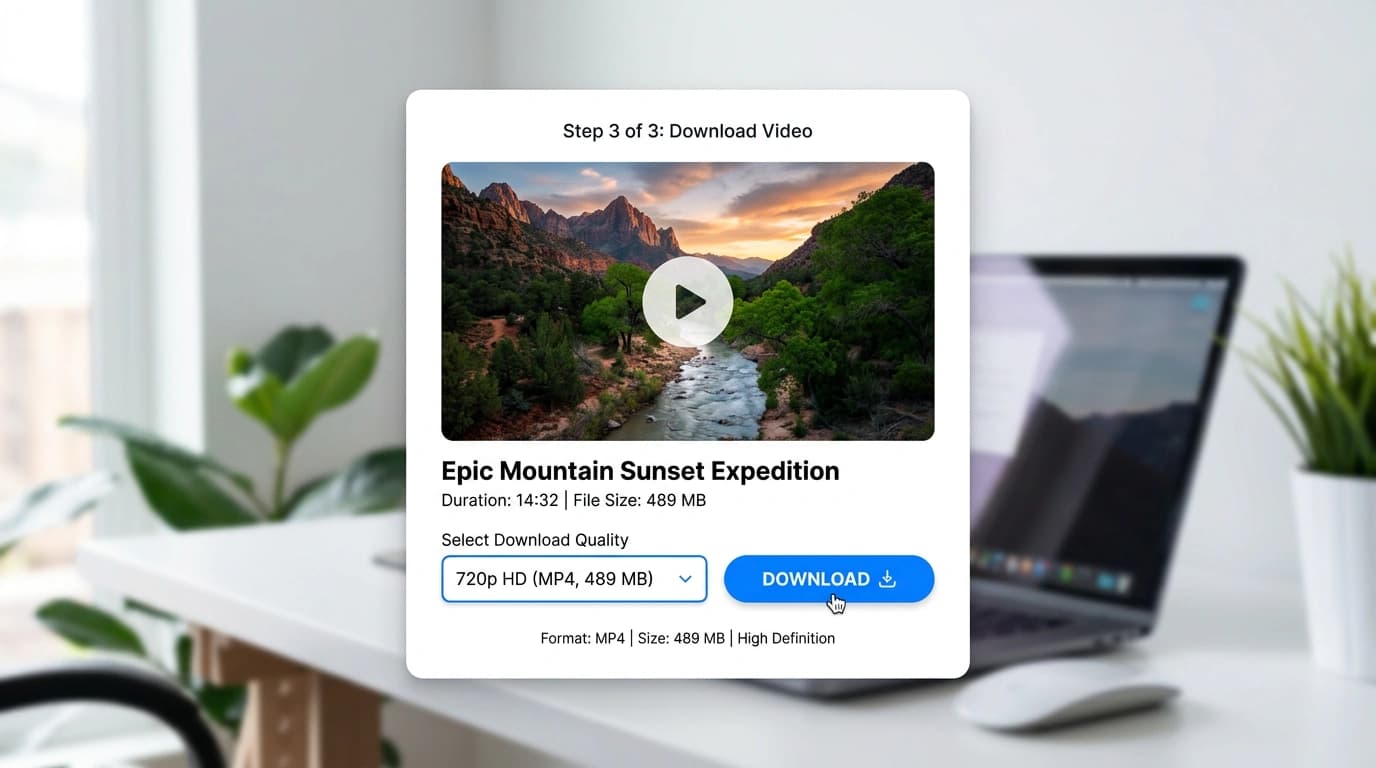
Select SD, HD or FHD, depending on what is available, then press Download to save the MP4 to your phone or computer. For private videos or group only videos, use the ClipSaves browser extension.
Why Choose ClipSaves as Your Video Downloader?
A free video downloader built to be fast, simple and easy to use on any device.
Fast Video Downloads
Paste a link and ClipSaves fetches the video details in a few seconds. You see the available qualities right away, so you can start downloading without waiting around.
Private and Simple
You do not need an account to download a video, so ClipSaves does not ask for your name, email or password. You paste a link, the video is fetched for you, and you save the file to your device.
Free to Use
ClipSaves is a free video downloader. You can download videos online in SD, HD or the best quality the source offers, without paying and without choosing a plan.
Works on Any Device
Use ClipSaves on your phone, tablet or computer. It works in Chrome, Safari, Firefox and Edge, so you can download videos online without software or an app install.
No Signup Required
Start downloading right away. There is no email, no password and no account to create. Just paste the video link and save the file.
Multiple Quality Options
Choose from the qualities available for each video, such as SD, HD or FHD. ClipSaves shows what the source offers so you can pick the best size and quality for your device.
Supported Platforms
Use one free video downloader for YouTube, Instagram, TikTok, X, Facebook, Dailymotion, Vimeo, LinkedIn, Telegram and SoundCloud.
Quick Downloads
Fetch a video and see the available qualities in seconds.
No Account Needed
Paste a link and download without signing up.
Free to Use
Download videos online for free. A quick check may appear after a few downloads.
Frequently Asked Questions
Everything you need to know about ClipSaves.
Recent Downloads
No recent downloads yet
Every ClipSaves tool
Pick your platform, then the exact format. Each downloader is free and works in the browser.